TRION
DESKTOP

The New Standard AI for Drug Discovery
Same Research, Revolutionary Cost and Time Savings
TRION Desktop Guide
TRION Desktop

Equal Performance.
But much faster and much more affordable.

Accessibility
A tool that works on realistic computer specs

Not an expensive workstation — it works on an affordable gaming PC too.
Security
Install locally for security and speed

Rest easy on data security. Get faster results based on your PC's performance.
Cost
Usage-based reasonable pricing

Pharma companies don't use solutions every day. That's why Tinaclon chose a pay-as-you-go model.

Key Features

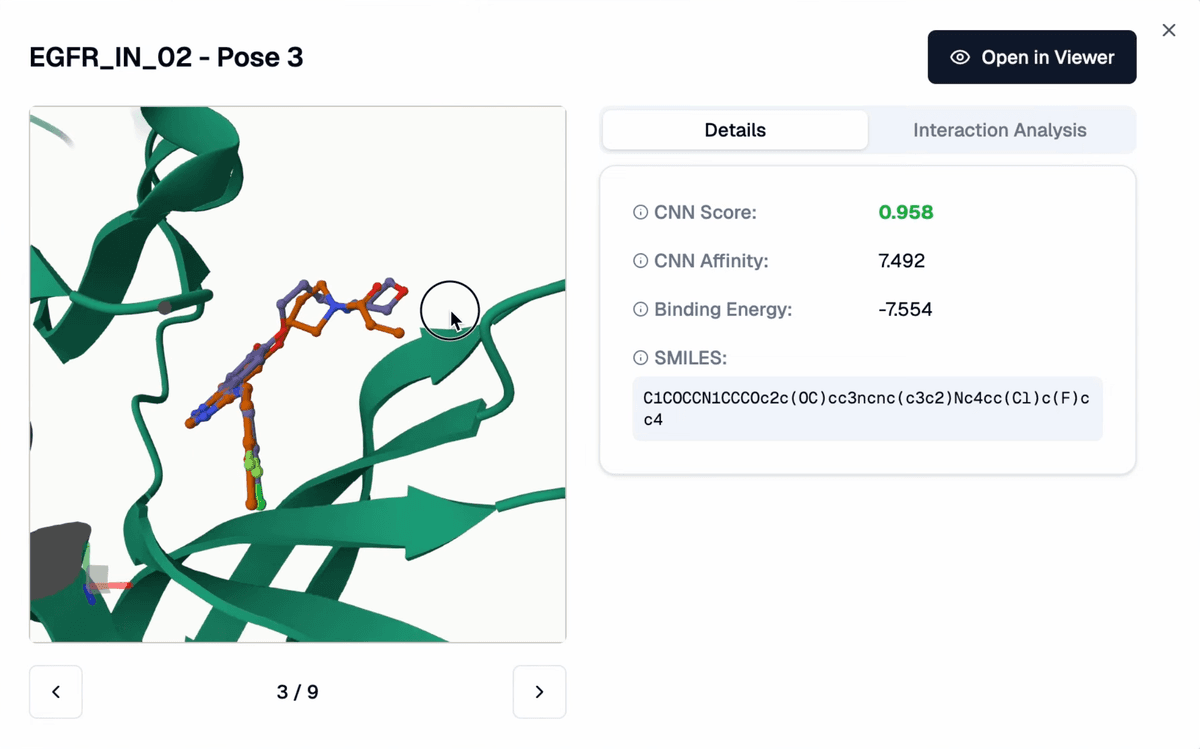
Protein-Ligand Docking

GNINA-based with CNN scoring

AI-based ScoringAccurate Binding PredictionFast Computation
Protein-Ligand Docking
Alignment(Constrained Docking)

Pose-constrained docking of new compounds to reference ligand
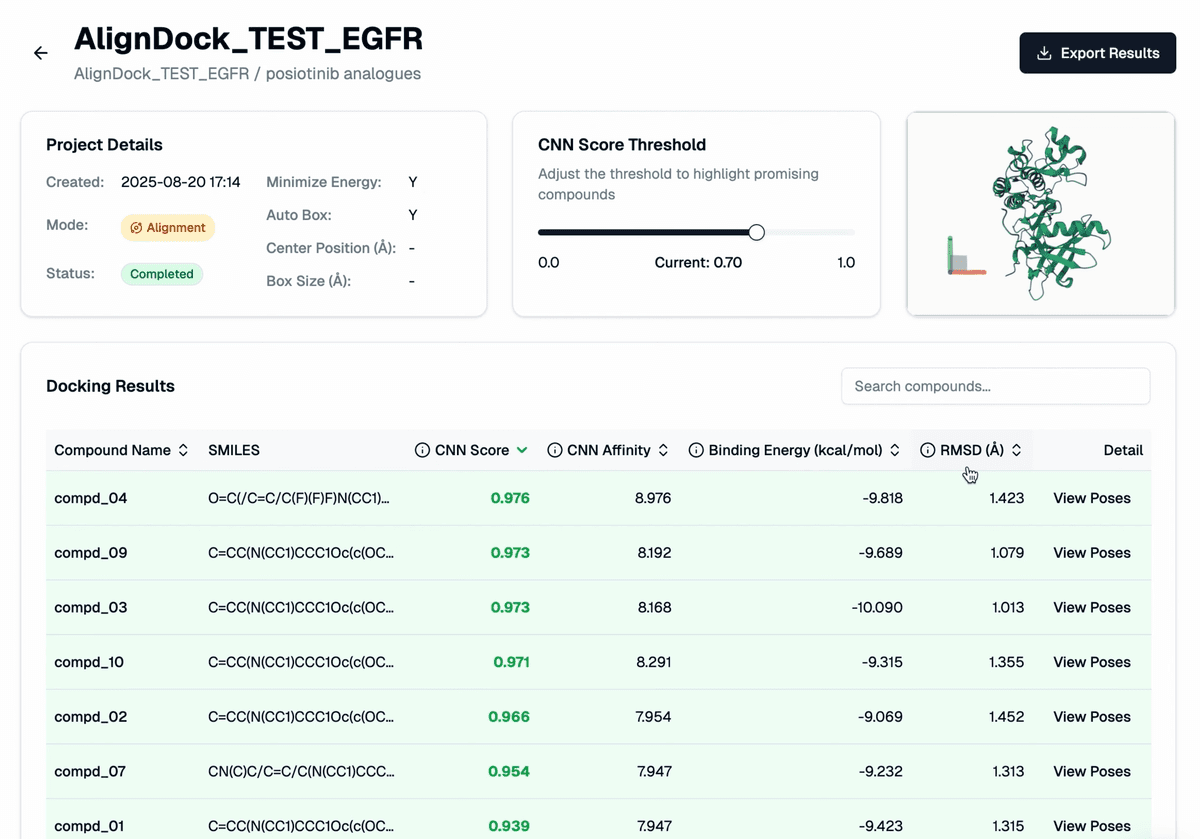
Reference Structure-BasedConstraint SettingPrecise Pose Prediction
Alignment
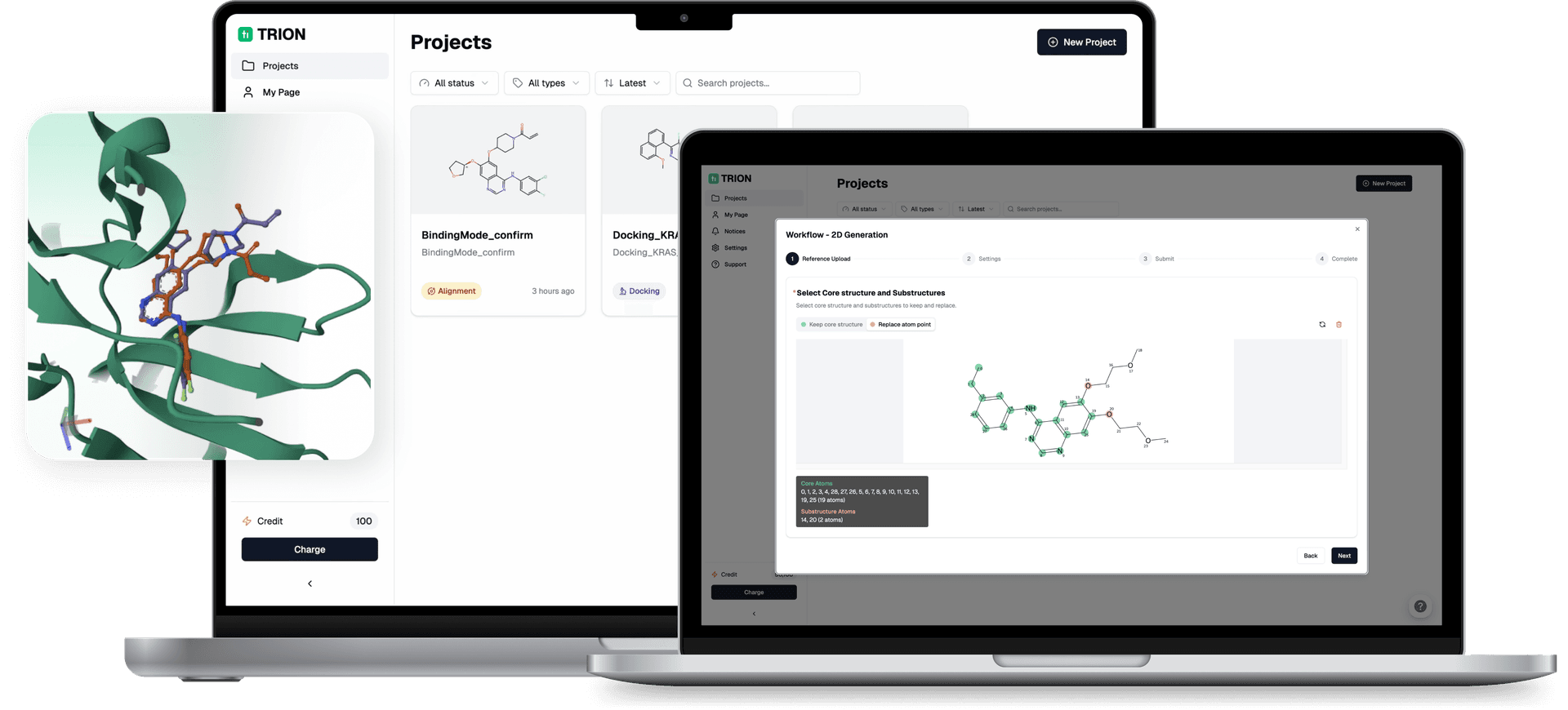
2D Generation (Compound Library)

RDKit/Reinvent-based substituent exploration while maintaining scaffold
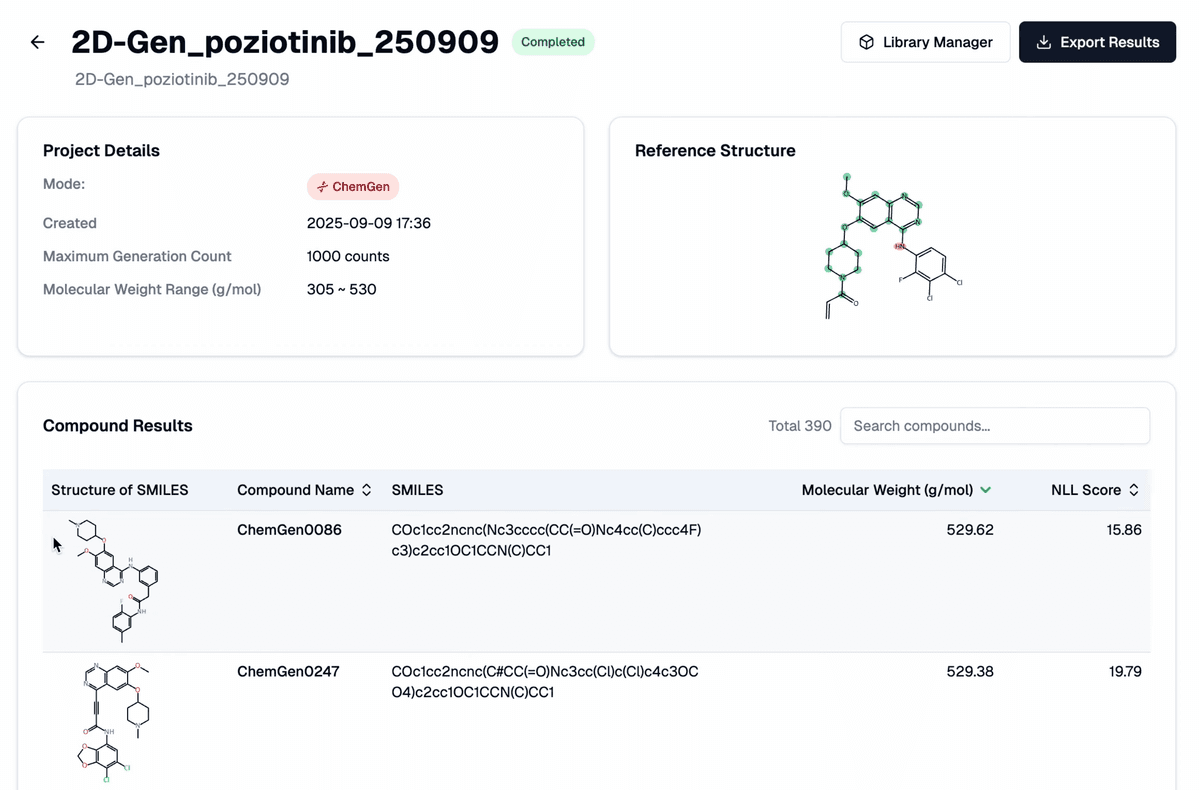
Scaffold-based GenerationDiversity AssuranceOptimized Library
2D Generation (Compound Library)
3D Structure Visualization

Mol*-based 3D viewer for preprocessing & result review
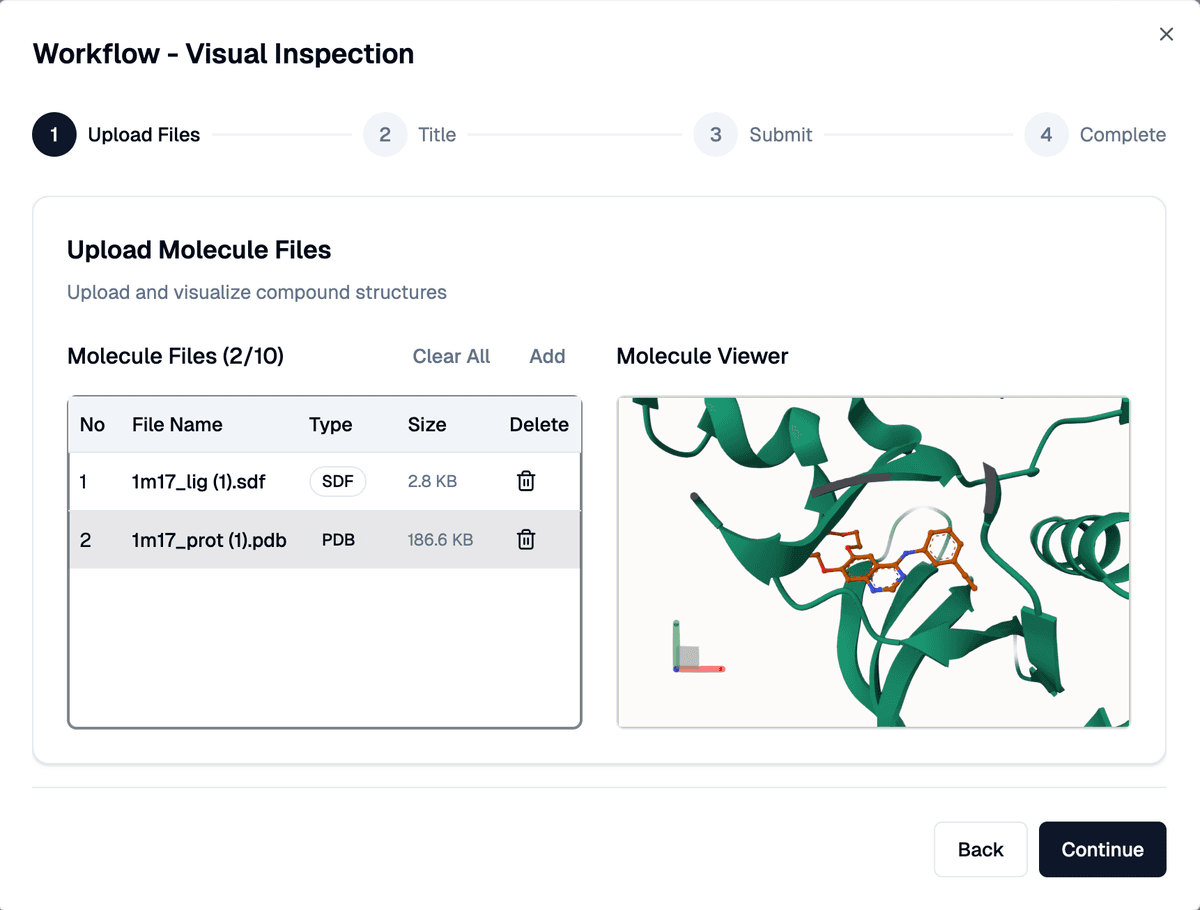
Interaction AnalysisResult Interpretation Support
3D Structure Visualization
Protein-Ligand Docking
Alignment (Constrained Docking)
3D Structure Visualization
Compound Generation
Compound Combination
Compound Design
Protein-Ligand Docking
Alignment (Constrained Docking)
3D Structure Visualization
Compound Generation
Compound Combination
Compound Design
Protein-Ligand Docking
Alignment (Constrained Docking)
3D Structure Visualization
Compound Generation
Compound Combination
Compound Design
Security & Stability
Easy Usability
Auto Update
3D Structure Visualization
Auto Update
Security & Stability
Easy Usability
Auto Update
3D Structure Visualization
Auto Update
Security & Stability
Easy Usability
Auto Update
3D Structure Visualization
Auto Update

Competitor Comparison

Installation & Execution
Runtime Environment
Data Security
Pricing Structure
Competitors
Complex setup / CLI-based
Cloud
Upload to external server
Annual/Monthly contract
TRION Desktop
GUI-based one-click execution
Local GPU
Local PC (no external transfer)
Usage-based credits

Frequently Asked Questions

Please check if Docker Desktop is running and verify its status in the system tray.

Docker Desktop must be running while using TRION Desktop. You can close Docker Desktop after closing TRION.

No. All computations are performed on your local PC, and molecular structure data is never transmitted externally. Only authentication and credit information communicates with the server.

Currently, docking results are stored on the local PC, so you cannot access previous results when logging in with the same account on a different PC.

Docking results are stored in the TRION working directory on your local PC. You can check the result file path within the app.

Download for Mac & Windows

Even with free features, your research environment transforms.

TRION Desktop Guide